
How to Vet an Epoxy Resin Manufacturer Before Placing a Bulk Order
A bulk epoxy order isn’t something to reverse easily. Once a drum or tote arrives, you’re committed — to the quality, the consistency, and whatever documentation (or lack of it) came with the shipment. Vetting a epoxy resin manufacturer properly before that order goes out is the single highest-leverage step in the entire sourcing process, and it’s the one buyers most often rush.
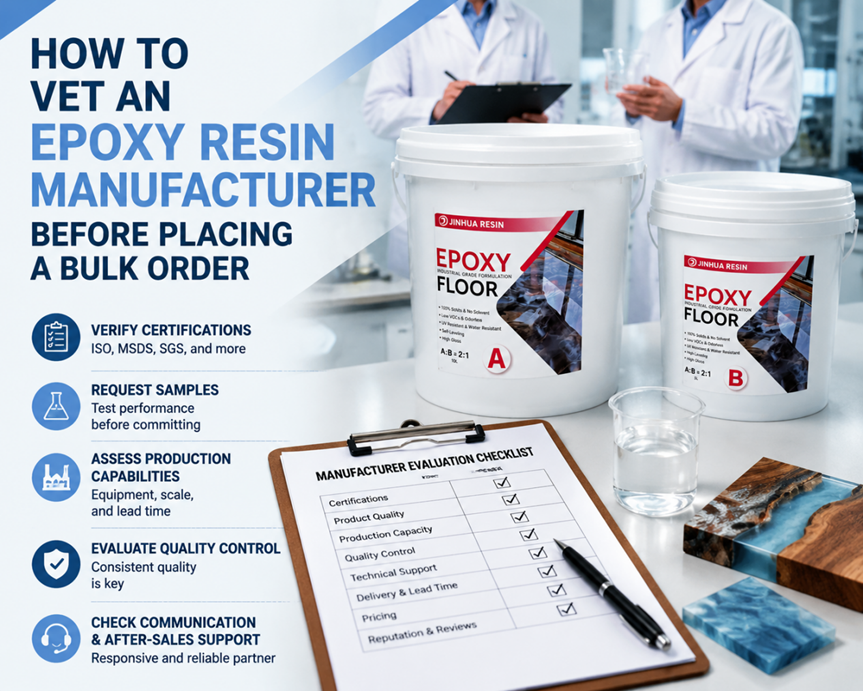
Start With Technical Documentation, Not Marketing Pages
A epoxy resin manufacturer’s website will always describe their product favorably. What matters is whether they can back that language with actual technical data sheets — viscosity, pot life, cure time, hardness, UV stability testing. Request these documents before any pricing conversation. manufacturer that hesitates or provides vague, incomplete sheets is signaling something about the rest of their operation.
Ask About Production Capacity — Specifically
“Can you handle our order volume” is a question every supplier will answer yes to. A better approach: ask for their typical production capacity per month, current lead times, and how those numbers change during peak demand periods. epoxy resin Manufacturers with real capacity will answer with specifics — tons per month, standard lead time in weeks, how it flexes with order size. Vague reassurance without numbers is a warning sign.
Verify Compliance Documentation for Your Market
If you’re importing into the US, Australia, Canada, or the UK, compliance requirements vary by destination and sometimes by end-use application. Ask specifically for REACH, RoHS, and Prop 65 documentation, and confirm it’s current — not a certificate from several product generations ago. A epoxy resin manufacturer with established export experience into your target market should be able to produce this without significant delay.
Request Samples — and Actually Test Them
Don’t skip this step even under time pressure. Request a sample batch matching what would ship in your bulk order, and run it through your actual application — not just a visual inspection. For table top or deep pour epoxy, this means a real pour, checked over several days for cure quality, clarity, and bubble behavior. epoxy resin manufacturer confident in their product will typically provide samples without excessive friction.
Ask About Batch Consistency Testing
A single good sample doesn’t guarantee consistency across a full production run. Ask the epoxy resin manufacturer directly how they test for batch-to-batch variance, and whether they can provide batch numbers or certificates of analysis with bulk shipments. This becomes especially important if you’re building a product line that depends on predictable results order after order.
Evaluate Communication and Responsiveness Before You Need It
The easiest time to judge a manufacturer’s communication is before you’re dependent on them — during the vetting process itself. Slow, vague, or inconsistent responses during a sales conversation rarely improve once you’re a paying customer with a smaller order relative to their biggest accounts. Pay attention to response time, the specificity of answers, and whether the same contact person is consistently available.
Consider Manufacturer vs. Reseller Status
Ask directly whether you’re buying from the actual manufacturer or from a reseller repackaging someone else’s product. This affects pricing, customization options, and how quickly quality issues can be traced and resolved. Manufacturers can typically offer better bulk pricing and more flexibility on formulation adjustments; resellers add a layer of distance between you and the actual production process.
A Practical Vetting Checklist
- Full technical data sheets, requested and reviewed before pricing discussion
- Specific production capacity and lead time numbers
- Current compliance documentation for your import market
- A tested sample from a batch representative of bulk production
- Clear answers on batch consistency testing methodology
- Confirmed manufacturer status, not reseller
- OEM/private label capability, if relevant to your business
Why This Matters More at Scale
A vetting shortcut that costs nothing on a small retail order can cost significantly on a bulk shipment — in wasted product, delayed timelines, and damaged relationships with your own customers if a defect surfaces downstream. Manufacturers like Jinhua Resin, which work directly with B2B buyers across export markets and provide documentation for exactly these vetting steps, tend to be the ones that pass this kind of scrutiny without friction — which is itself a useful signal when comparing suppliers.
Vetting a manufacturer thoroughly takes time upfront. It’s consistently less time than dealing with the consequences of skipping it.