
Mistakes to Avoid When Buying an AI Translator Device
Buying a translator device sounds simple. Pick a well-reviewed model, plug it in, and start using it. In practice, the choice gets muddled by aggressive marketing, feature bloat, and reviews that describe capabilities most owners never actually touch. People spend real money on hardware that does not match their needs, or they miss features that would have transformed daily use. Others buy the right hardware but sabotage its performance through avoidable setup errors during the first week.
The result is a category of tools that produces both enthusiastic advocates and quiet regret depending on how the initial decisions played out. This article walks through the most common mistakes to avoid when researching, purchasing, and setting up a translation device. Some of the pitfalls sit in feature specs; others hide in software behavior that only shows up months later. Learning where the traps sit before you commit means the tool actually earns its place on your desk or in your travel bag.
Common Pitfalls in Feature Chasing
Product listings compete on numbers. Language count, battery hours, and translation speed appear in bold text on every landing page. Those numbers matter, but they are not the whole picture. Choosing an ai translator device based only on the loudest spec often means buying capability you never use while missing the details that shape daily performance.
Falling for Impressive Language Counts
A device advertising one hundred forty languages sounds better than one advertising eighty. In practice, the extra sixty languages are often served by weaker models trained on smaller data sets. Accuracy for the top twenty commonly used languages tends to be similar across leading brands, while long-tail languages vary dramatically. If you rely on French, Spanish, Japanese, and Arabic, the difference between eighty-language and one-hundred-forty-language coverage is negligible. Focus on accuracy in the pairs you actually use, not on the size of the catalog.
Ignoring Microphone Design in Favor of Screens
Marketing images emphasize touchscreen resolution and color displays. Neither drives translation quality. Microphone design does. A device with a mediocre screen but excellent beamforming microphones will consistently outperform a flashier competitor in real conversations. Look for reviewers who test in noisy environments, and prioritize models with dual microphones facing outward when the device is placed between speakers. Screen size becomes irrelevant if the underlying audio input is compromised.
Software Traps That Show Up After Purchase
Hardware defines the ceiling; software defines whether you actually reach it. Two software patterns cause the most regret months after purchase.
Locked Ecosystems and Subscription Fees
Some brands sell devices at competitive prices, then require subscriptions for features that seemed included at purchase. Advanced language packs, cloud transcription, and export tools sometimes sit behind ongoing fees not clearly disclosed on the box. Before buying, read the terms of service and check whether core translation is fully offline-capable or if the device becomes limited without a monthly plan. Locked ecosystems also affect data portability. If exporting your history requires proprietary software, moving to a different device later becomes painful.
Neglected Firmware and Abandoned Models
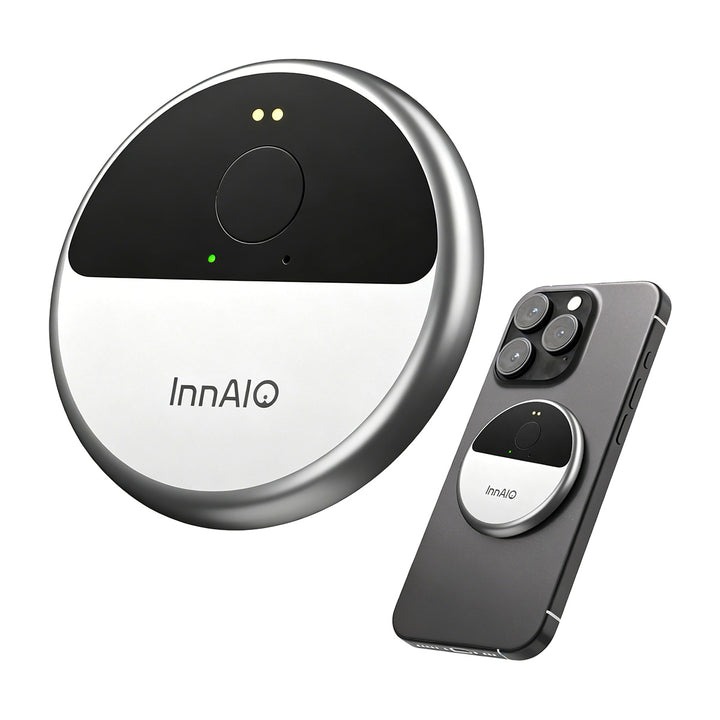
Manufacturers vary widely in how long they support hardware. A model released three years ago may still receive quarterly firmware updates from one brand while another has already moved on. Check the manufacturer’s history of update frequency for older models before buying the newest one. A brand that has abandoned prior generations will likely abandon the model you are considering within similar timeframes. Devices from established manufacturers like INNAIO with public update logs give you a clearer read on longevity than newer entrants without a track record.
Practical Mistakes During Setup and First Use
Even the right device can disappoint when the first week goes badly. Two setup habits determine whether the tool integrates smoothly or feels frustrating enough to shelve after a few tries.
Skipping the Firmware Update
The device you unbox is almost never running the latest firmware. Whatever software was current when the unit shipped from the factory has likely been improved several times. Users who start translating before running the initial update often experience worse accuracy than the current model deserves, form negative opinions, and either return the device or shelve it. Twenty minutes of setup includes running the first firmware update. Do it before you take the device anywhere important.
Trying Complex Scenarios Before Learning Basics
Enthusiastic new owners often want to use the device in a high-stakes meeting or a demanding travel situation on day one. This is exactly the wrong time. Start with easy conversations at home or in quiet cafés with a friend willing to speak the target language. Learn how the buttons feel, how long the device takes to process a sentence, and how to correct a misheard input. When you finally use the device in a meeting or a market abroad, the muscle memory is already there and you can focus on the conversation rather than the hardware.
How to Correct Course If You Already Bought Wrong
Not every mismatch is fatal. If you have already purchased a device that does not fully fit, several adjustments can extend its usefulness before considering replacement. Start by identifying which specific limitation causes daily friction. Poor microphone pickup in noisy environments can sometimes be mitigated by attaching an external microphone through a wired accessory. Slow response often improves with a firmware update or by switching between online and offline modes based on connectivity.
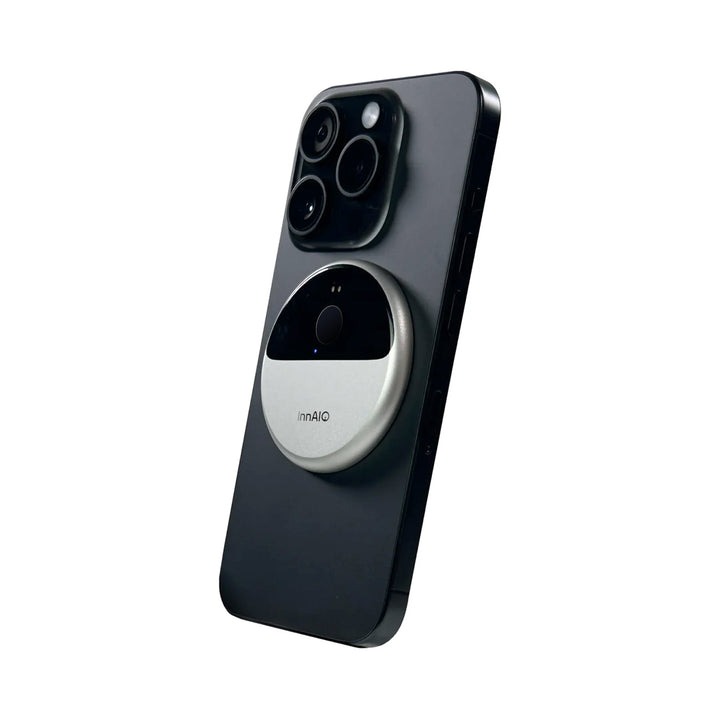
If the interface is confusing, spend an hour with the companion app rather than the device itself, since many settings are only surfaced through the phone software. For irreconcilable issues, check the manufacturer’s return window and the resale market. Translator devices retain resale value better than most consumer electronics because demand exceeds supply in secondary markets. Selling a device you rarely use and applying the proceeds to a better-fitting model is a legitimate correction rather than a sunk cost.
Choosing Without Regret
Buying decisions in this category often come down to a few hours of research and a mid-range price tag. That combination makes the mistakes described above easy to fall into and easy to avoid once you know where the traps sit. Ignore the largest spec numbers when they do not match your usage. Prioritize microphone quality, real accuracy in the languages you actually use, and manufacturer track record on firmware support.
Approach setup deliberately rather than diving into a demanding scenario on day one. If you have already bought a device that is not quite right, treat the situation as a course correction rather than a permanent loss. The category continues to mature, and the tools available today are meaningfully better than those from even two years ago. Making an informed choice means the device becomes part of a routine you actually enjoy, rather than another gadget you meant to use more often.